Arizona ESA Payment Options
Choose Your ESA Payment Method
Arizona ESA families may use ClassWallet DirectPay or a ClassWallet prepaid debit card depending on how they prefer to complete payment.
Need Help Using ClassWallet?
Some parents have difficulty locating WriteNowBooks.com in the Arizona ClassWallet DirectPay Vendor Portal. Use the guide below for step-by-step instructions.
Search: "WriteNowBooks.com"
ClassWallet DirectPay Instructions
Use this step-by-step guide to find WriteNowBooks.com in the ClassWallet DirectPay portal and complete the invoice process.
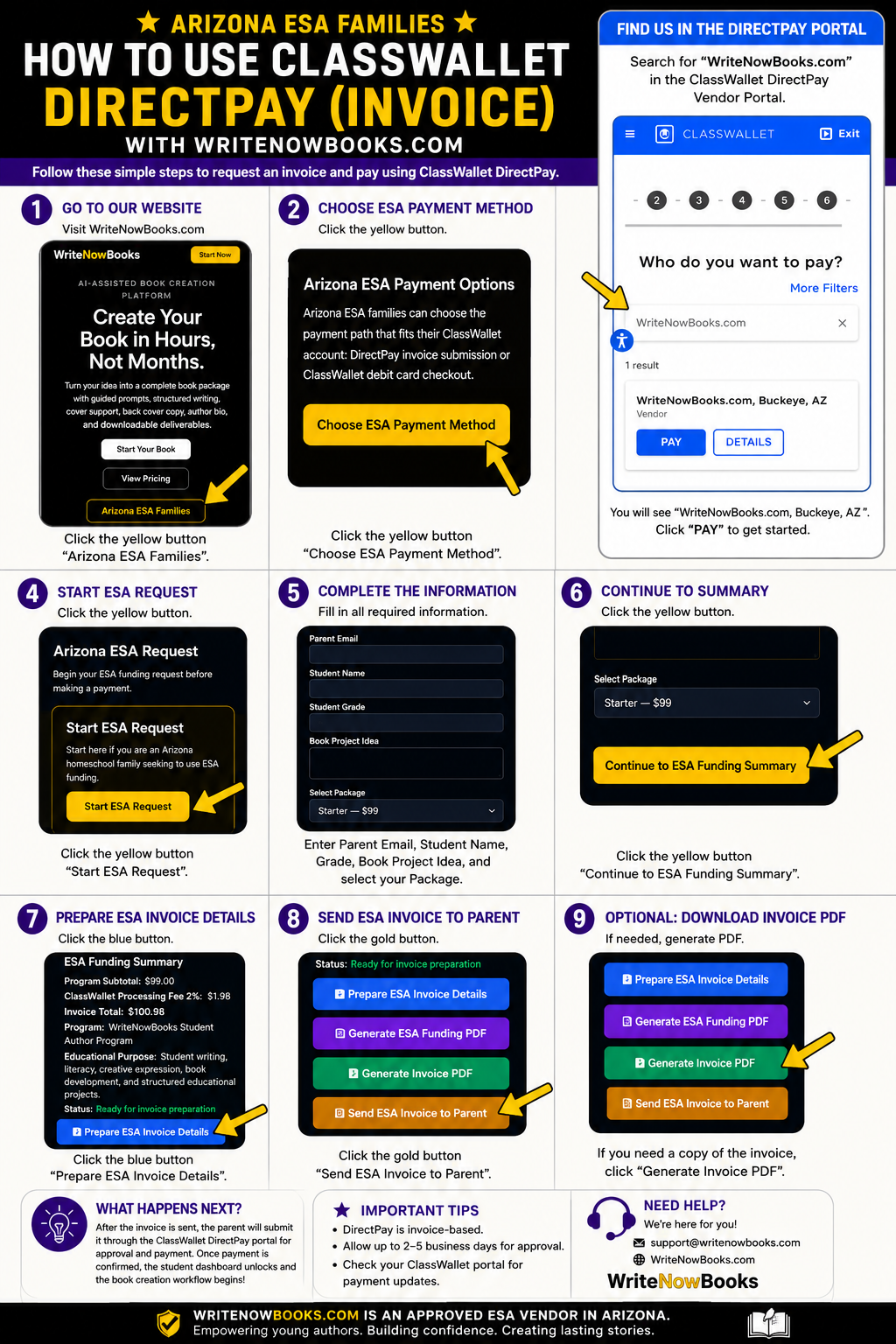
ClassWallet DirectPay
Use this option if you want to submit an invoice through the ClassWallet portal for ESA approval and payment.
- • WriteNowBooks prepares ESA invoice details.
- • Parent submits the invoice through ClassWallet.
- • Admin confirms funding once payment is received.
- • Student dashboard unlocks after funding is confirmed.
ClassWallet Debit Card
Use this option if you already have a ClassWallet prepaid debit card and want to pay through the normal WriteNowBooks checkout.
- • Choose your WriteNowBooks package.
- • Pay using your ClassWallet debit card at checkout.
- • Keep your receipt for ClassWallet upload.
- • Student access can begin after payment completion.
Note: Debit card purchases may require parents to upload receipts in ClassWallet. DirectPay is the invoice-based path.